OG-0076 Ownership
Jeep Wrangler USB Port in the Center Console: Locations, Problems and Fixes
By the Offroad Grip editors 6 min read Rev. Oct 6, 2026
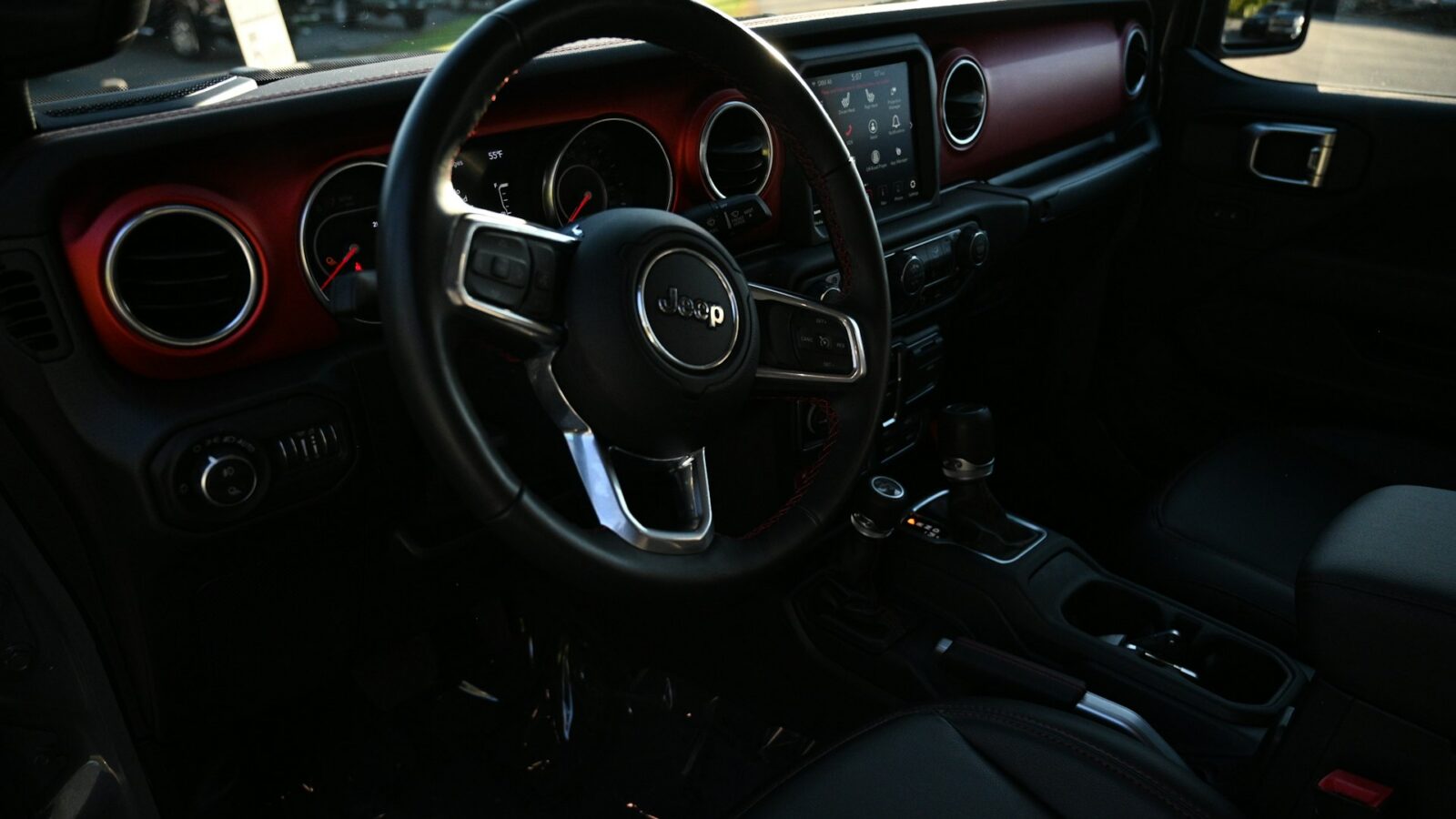
Revision Expanded in October 2026 and re-checked against Jeep owner's manuals, manufacturer data and NHTSA or CPSC records.
Checklist
- JK: one media USB port inside the center console on equipped radios
- JL: front media hub, a media port in the console, and charge-only ports at the back
- The JL front USB-A and USB-C ports share one data connection
- Charges but won't connect: try a data cable and a media port, not a charge-only one
- JL owner's manuals list a 10-amp fuse for the USB and AUX port
- Holding the radio's volume knob for about 10 seconds restarts a frozen Uconnect system
Procedure
On a 2011 to 2018 JK Wrangler with a USB-equipped radio, the media USB port is inside the center console. A JL (2018 and later) has more: a media hub with USB-A, USB-C and AUX on the instrument panel below the climate controls, a second media USB port inside the center console, and on equipped models two charge-only ports on the back of the console.
When one of them stops working, the cause is usually cheaper than it looks. A port that charges but will not connect to Uconnect almost always means a charge-only cable or a charge-only port. A port that does nothing at all is usually debris, a fuse or the radio software, and only after those the port hardware itself.
Where the USB ports are on each Wrangler
| Wrangler | Location | Type |
|---|---|---|
| JK, 2007 to 2010 | Depends on the radio; the 2008 MyGIG (RER) unit has its USB port on the radio itself | Media |
| JK, 2011 to 2018 | USB/AUX connector inside the center console (radios with iPod/USB control) | Media, charges supported devices |
| JL, 2018 to 2023 | Media hub below the climate controls: USB-A, USB-C, AUX | Media; A and C share one data connection |
| JL, 2018 to 2023 | Inside the center console | Media |
| JL, if equipped | Back of the center console, above the power inverter | Charge only |
| JL, 2024 on | Two USB ports and AUX below the climate controls; rear ports above the inverter on some trims | Front ports are media |
The JK details come from the 2011 JK owner’s manual, and the JL details from the 2023 JL owner’s manual and the 2025 owner’s handbook. Port counts vary with trim and radio, so treat the table as the common layouts.
Why the USB port charges but won’t connect
This is the most common complaint, and on a JL there are four usual reasons.
- The cable is charge-only. Many cheap cables carry power but no data lines. They charge a phone normally and never start Apple CarPlay, Android Auto or USB media. Try the cable that came with the phone.
- You are in a charge-only port. The ports on the back of the JL console are charge only, according to the manual. Use the front hub or the port inside the console for media.
- Two devices are fighting. The JL front USB-A and USB-C ports share a single data connection. With a device in each, the screen asks which one to use, and messages such as “Another device is in use through the same USB port” mean exactly that.
- The device is not supported. Uconnect shows a message when an unsupported device is plugged into a media port. Jeep’s advice is to charge those devices from the charge-only ports.
On the JK, the console port connects iPods and USB devices to the radio. The 2011 manual notes that a device with a completely flat battery may not communicate until it has charged for a while.
Why the phone charges slowly
Slow charging is not always a fault. The JL manual says that when both the USB-C and USB-A charge-only ports are in use, they charge at a reduced rate. A phone running navigation and CarPlay with the screen at full brightness can use power nearly as fast as a USB-A port supplies it, so the battery barely climbs. Unplug devices you are not using so the ports are not sharing the charge, lower the screen brightness on long drives, and keep in mind that a hot phone on the dash in summer slows its own charging to protect the battery.
Troubleshooting order for a dead port
- Swap the cable for a known data cable, and try a second phone. This rules out the two most common failures for free.
- Look inside the port with a flashlight, ignition off. Lint and grit stop the plug seating fully. Clear it with a wooden toothpick or plastic pick, never metal.
- Try the other ports. If one works and another does not, the fault is that port. If none work, think fuse, software or hub.
- Restart the radio. The 2023 JL manual says that holding the VOLUME and On/Off button for about 10 seconds resets the radio manually and can recover a frozen screen. A radio that has stopped recognizing devices often comes back after this.
- Check the fuse. The 2018, 2021 and 2023 JL manuals list a 10-amp fuse labeled UCI Port (USB and AUX) in the Power Distribution Center under the hood (cavity F11 in those editions; confirm on your fuse cover). The JK manual has no separate USB fuse: the console port belongs to the radio system, so if the radio plays, the fuse is fine.
- Update the software. According to Uconnect’s software update page, 2020 and later systems update over the air on connected vehicles or at a dealer, and current USB updates are not offered for customer download on those years. Ask the dealer to check the version if connection problems keep coming back.
- Replace the port or hub only after all of the above.
Replacing the JL media hub
The front media hub is a separate part mounted in the instrument panel. Mopar’s online store listed it at an MSRP of about $145 in 2026 for 2018 to 2026 Wranglers, and dealers commonly sell it for roughly $100 to $180. The job is mostly careful trim removal; take photos as you go, because trim clips break easily. If you would rather not pull trim, a dealer or audio shop can do it quickly. The console and rear charge-only ports are separate parts, so replace only the one that has failed.
On a JK, the console port is wired to the radio. If the port is physically damaged, replacement is a console trim job; if the radio itself no longer sees any USB device, the radio is the more likely fault, and that is a question for a dealer or a car audio shop.
Water, dust and the open-top problem
A Wrangler spends time with the top off and the doors gone, and the center console sits right where rain and trail dust land. Water in a USB port corrodes the contacts, and a port that died soon after a wet drive probably died for that reason. If it got wet recently, leave the console lid open to dry completely before plugging anything in. Close the lid when you park topless; the JL manual gives the same advice for the console power outlet.
USB charging and the battery
The JL manual says its Smart Charging USB ports keep powering devices for up to an hour after the vehicle is turned off, and it lists USB ports among the electrical loads to check if a Battery Saver message appears. That is rarely a problem on its own, but combined with a dash cam, a cooler and aftermarket audio it adds up. If you are planning more accessories, the power draw notes in the Wrangler subwoofer box plans apply here too, and a battery that is already struggling is covered in why a Wrangler won’t start.
Known Uconnect and electrical complaints by model year are in Wrangler problems by year, and keeping connectors and the battery healthy is part of the Wrangler maintenance checklist. For most dead ports, though, the fix is a better cable and a 10-second radio restart.
Troubleshooting
Owners also ask
Q1 Where is the USB port on a Jeep Wrangler?
On a JL, the main ports are in the media hub on the instrument panel below the climate controls, with another media USB port inside the center console and, if equipped, two charge-only ports on the back of the console above the power inverter. On a 2011 to 2018 JK, the USB port is inside the center console.
Q2 Why does my Jeep USB port charge but not connect to Uconnect?
Most often the cable carries power but not data, or the phone is plugged into a charge-only port, such as the ports on the back of the JL console. On a JL, the front USB-A and USB-C ports also share one data connection, so a second device plugged in at the same time can take over the connection.
Q3 Is there a fuse for the USB port on a Jeep Wrangler?
On the JL, the 2018, 2021 and 2023 owner's manuals list a 10-amp fuse labeled UCI Port (USB and AUX) in the Power Distribution Center under the hood. The JK manual has no separate USB fuse; the console port is part of the radio system, so if the radio works, the fuse is not the problem.
Q4 How much does it cost to replace the USB hub in a Jeep Wrangler JL?
Mopar's online store listed the JL media hub at an MSRP of about $145 in 2026, with dealers commonly selling it for roughly $100 to $180. Replacing it is mainly a trim removal job, so labor time is usually short. Rule out the cable, fuse and software first, because the hub is the last suspect.
Q5 Do Jeep Wrangler USB ports stay on when the car is off?
On the JL, the manual says the Smart Charging USB ports keep powering a device for up to an hour after the vehicle is turned off. That is handy for topping up a phone, but leaving several devices charging after every short trip adds to battery drain.
See also
Next in the manual
Chimes and switches
How to Remove Jeep Wrangler Doors and Hard Top (JK and JL)
To remove a Jeep Wrangler door, roll the window down, remove the two hinge pin screws with a T50 Torx driver, unplug the door wiring connector under the dash or behind the access panel, release the door check strap (JK) or T40 check bolt (JL), then lift the door off its hinges with a helper. Jeep's manuals say doors-off driving is for off-road use and outside mirrors are required on the road.

Chimes and switches
How to Reset the Oil Life on a Jeep Wrangler (JK and JL)
To reset the oil life on a JK Wrangler (2007 to 2018), turn the ignition to ON without starting the engine, slowly press the accelerator to the floor three times within 10 seconds, then turn the ignition off. On a JL (2018 on), select ON/RUN without pressing the brake, open Vehicle Info, then Oil Life in the cluster, and hold OK until it reads 100%. The pedal method also works on the JL.
Ownership
Jeep Wrangler Won’t Start: Clicking, Cranking, No Crank and Other Causes
When a Jeep Wrangler won't start, the symptom points to the cause. Rapid clicking usually means a weak battery or corroded terminals. A single click or no crank with dash lights on points to the battery, starter, or a clutch or brake switch. Cranking without starting suggests fuel, spark or the immobilizer. On a JL, a failing auxiliary Stop/Start battery or an undetected key fob can also prevent a normal start.